How to Run a Safe and Effective Bass Test
Running an online bass test evaluates how cleanly your subwoofer, studio monitors, or headphones reproduce low-frequency energy between 20 Hz and 250 Hz. Deep bass frequencies require large driver excursion, so even quiet sub-bass tones push speaker cones and headphone diaphragms harder than midrange vocals.
Follow these steps to perform an accurate bass test without risking clipping or rattle:
- Start at Moderate Volume: Leave the master volume slider at 35% and ensure your operating system EQ or "Bass Boost" enhancements are switched off so you hear your hardware's true acoustic roll-off.
- Test Sub-Bass Extension (20 Hz – 60 Hz): Click the 60 Hz, 50 Hz, 40 Hz, 30 Hz, and 20 Hz pads in descending order. Notice the exact frequency where loudness drops off sharply or vanishes altogether.
- Run the Bass Drop Sweep: Launch Bass Drop Sweep (120 Hz → 20 Hz) to hear a smooth downward glide across upper-bass, mid-bass, and sub-bass bands. Whenever you hear the bass disappear or notice a buzzing vibration, click Mark Current Hz to record that threshold.
- Check Transient Punch with Rhythmic Pulses: Toggle Rhythmic Bass Pulse at 50 Hz and 80 Hz. Tight, responsive speakers start and stop crisply on each beat, whereas boomy rooms or muddy headphones smear notes together.
Bass Frequency Reference Benchmarks by Device
Not every audio device is engineered to hit 20 Hz. Use the reference table below to judge whether your bass test roll-off matches typical hardware behavior:
| Audio Hardware Type | Typical Low-End Limit | Where Output Feels Strongest | What a Rattle Usually Indicates |
|---|---|---|---|
| Dedicated Home Subwoofer | 20 Hz – 30 Hz | 28 Hz – 80 Hz | Loose cabinet grille, port chuffing, or vibrating room furniture |
| Over-Ear Planar / Closed Headphones | 20 Hz – 35 Hz | 40 Hz – 120 Hz | Broken earpad seal (glasses frame) or hair touching driver |
| In-Ear Monitors (IEMs) / Earbuds | 25 Hz – 45 Hz | 50 Hz – 150 Hz | Ear tip too small for ear canal (air leak kills sub-bass) |
| Desktop Bookshelf Speakers | 45 Hz – 65 Hz | 65 Hz – 180 Hz | Desk resonance or speaker bottoming out past mechanical excursion |
| Laptop Built-In Speakers | 110 Hz – 180 Hz | 180 Hz – 250+ Hz | Chassis vibration on thin aluminum/plastic palm rests |
Diagnosing Driver Rattle vs. Room Resonance
During a bass test, hearing a metallic buzz at 45 Hz or 75 Hz does not automatically mean a blown speaker. Before replacing hardware, isolate whether the rattle comes from the driver itself or its surroundings:
- For Speakers and Subwoofers: Play the problem frequency continuously (for example, 55 Hz), then walk around the room pressing gently on picture frames, desk drawers, speaker grilles, and radiator panels. Standing waves inside rooms amplify specific frequencies sharply. If you want to verify overall left/right balance above 250 Hz as well, return to the full Sound Test or run our dedicated Speaker Test. For 5.1 or 7.1 home-theater LFE subwoofers, verify discrete channel mapping in our Surround Sound Test.
- For Headphones and Earbuds: Play the Rattle Sweep (20 Hz → 200 Hz) while holding one earcup gently to your head to rule out loose hinges or creaking glasses temples. Next, open our Headphone Test to pan the tone solely into the left or right cup so you know which driver is buzzing.
Sub-Bass vs. Mid-Bass Explained
Understanding the difference between sub-bass and mid-bass helps you interpret your bass test readings accurately:
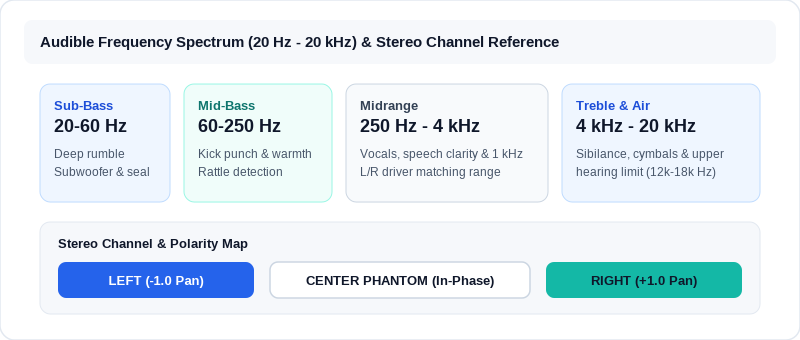
- Sub-Bass (20 Hz – 60 Hz): Felt in your chest or eardrum pressure as much as heard. Electronic music drops, cinema explosions, and pipe organ pedals live here. If your earbuds feel thin at 35 Hz, try larger silicone or memory-foam ear tips before blaming the driver—even a microscopic air gap drains sub-bass pressure immediately.
- Mid-Bass (60 Hz – 120 Hz): Supplies kick-drum thump, bass guitar weight, and warmth. Poorly tuned rooms often create a "one-note boom" around 80–110 Hz while hiding deeper notes below 50 Hz.
- Upper Bass (120 Hz – 250 Hz): Bridges rhythm instruments into lower vocals. Excess energy here sounds muddy rather than deep. Once your low-frequency response checks out cleanly, check upper frequencies with our Frequency Test or verify Bluetooth headset lag with the Audio Latency Test.
No device notes yet. Run a test above and leave the first measurement.